Less repetition. More room for everything else.
A collection of tools I built with AI to take recurring tasks off my plate.
Overview
Built around my routine.
Each tool starts with something I keep doing manually. I automate the repetitive part, so I can spend more time using what it gives me.
01 / Private app · Used in our language exchanges
Lingua Log
Keep the conversation—and the corrections.
- Why I built it
- My Italian friends and I practise English and Italian over Google Meet. Remembering what someone said, correcting it, and keeping useful notes pulled attention away from the conversation.
- How it helps me
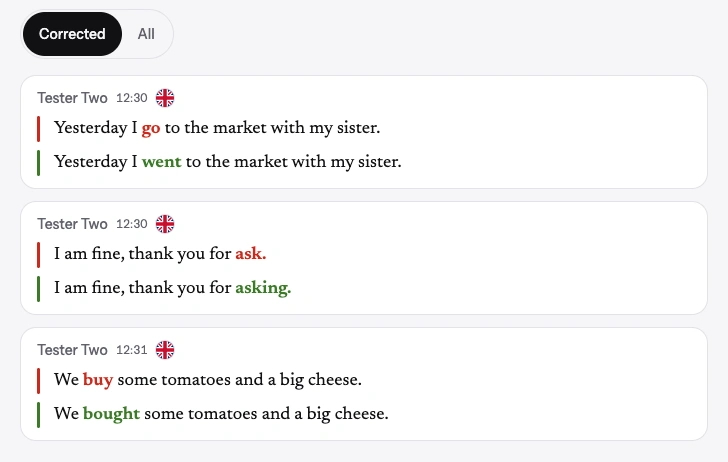
- Lingua Log runs alongside our call, transcribes each person’s microphone, and lets us correct lines together. It keeps the original and corrected versions in a dated log, so we can revisit our mistakes afterward.
- AI transcribes. We correct.
- Speech recognition can mishear us. We review the words and make the corrections ourselves; the original transcript stays visible.
- 01Practise together
- 02Transcribe live
- 03Correct a line
- 04Revisit the log
Built withNext.js · TypeScript · Deepgram · Supabase · Vercel
02 / Working automation · UX evolving
AI24
The updates I care about, in one daily read.
- Why I built it
- I wanted to keep up with AI, design, and voice AI without checking multiple sites every day.
- How it helps me
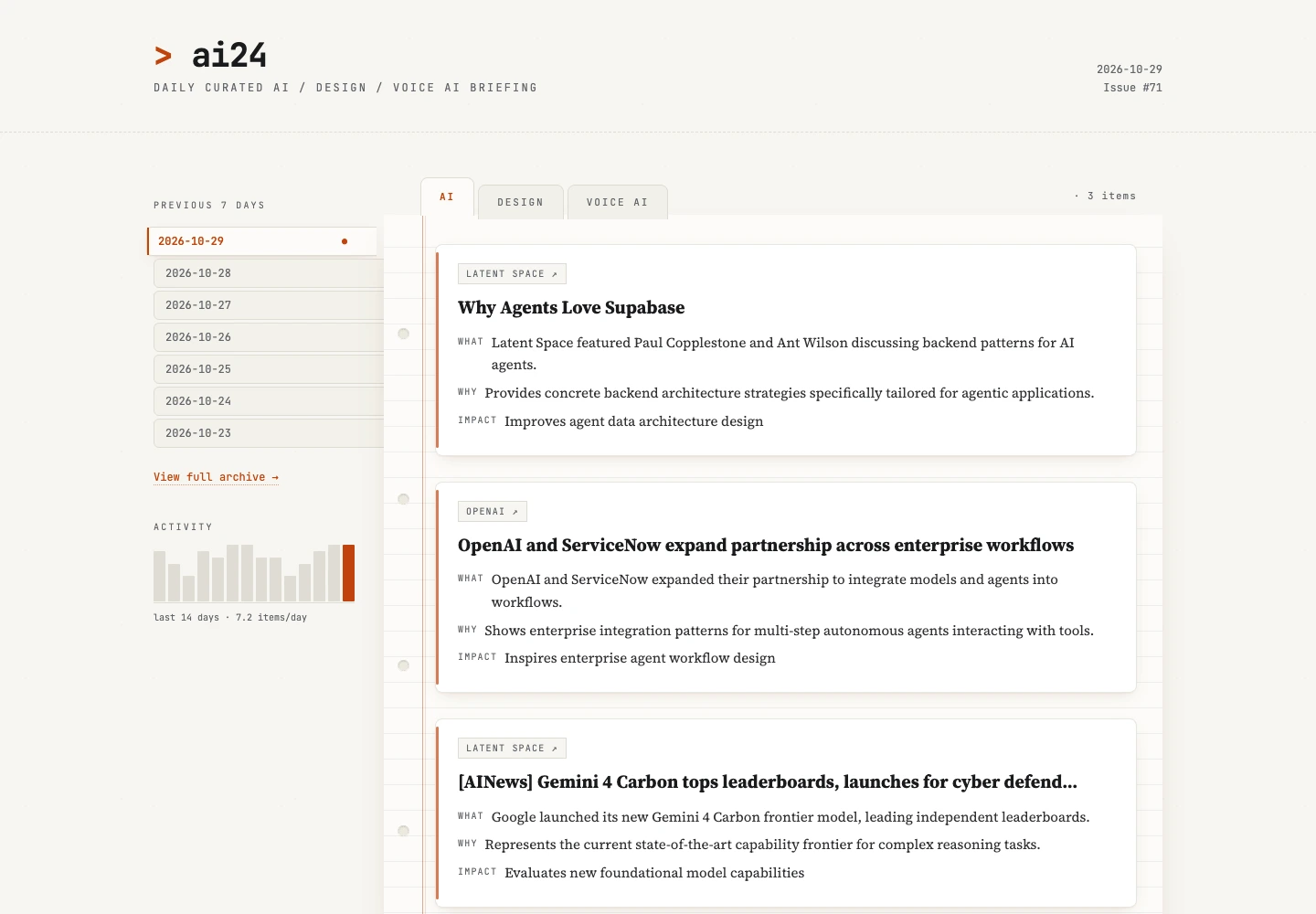
- It gathers recent updates, uses AI to choose and summarise relevant stories, publishes a daily digest, and sends me a push notification. I spend less time searching and can go straight to the stories that interest me.
- Next improvement
- Improve the reading experience and UX while keeping the same daily flow.
- 01Collect updates
- 02Rank & summarise
- 03Publish the digest
- 04Send a notification
Built withPython · Gemini · GitHub Actions · Astro · Vercel · ntfy
03 / Personal macOS automation
SnapNotes
A useful moment on screen. A note I can find later.
From screen to Notion
- 01
Capture the useful bit
Select an area of the screen with a shortcut.
⌘ ⇧ 8 - 02
Read & organise
Gemini extracts the content and matches a Notion category.
- 03
Save where it belongs
A structured note in Notion, with a filing notification.
- Why I built it
- While building my portfolio, I watched lots of YouTube videos to explore AI tools and prompts. I wanted to keep the useful bits without copying and sorting everything by hand.
- How it helps me
- I capture a screenshot with a shortcut. Gemini reads and organises the content, then saves a structured note to the matching Notion page—for prompts, portfolio ideas, tools, or case-study tips.
- Still in my control
- Captures without a matching category stay available for review. I can also undo a recent filing from the menu bar.
Built withHammerspoon · Python · Gemini · Notion API · launchd
What’s next
More of my routine, a little simpler.
I’m refining AI24’s reading experience and looking for the next repetitive task worth automating.